
How Buying From Us Works
How Buying From Us Works
Windstripe Themes
0 minutes read
We know that buying software directly from a developer's website — instead of a marketplace like ThemeForest — can feel less familiar. That's exactly why we want to walk you through the entire process, step by step, so you know exactly what to expect before, during, and after your purchase.
All payments on our website are processed through Paddle, a trusted payment platform used by thousands of software businesses worldwide. Paddle handles your payment securely and supports all major payment methods, including credit/debit cards and PayPal.
Step 1: Choose Your Product
You can start your purchase in one of two ways:
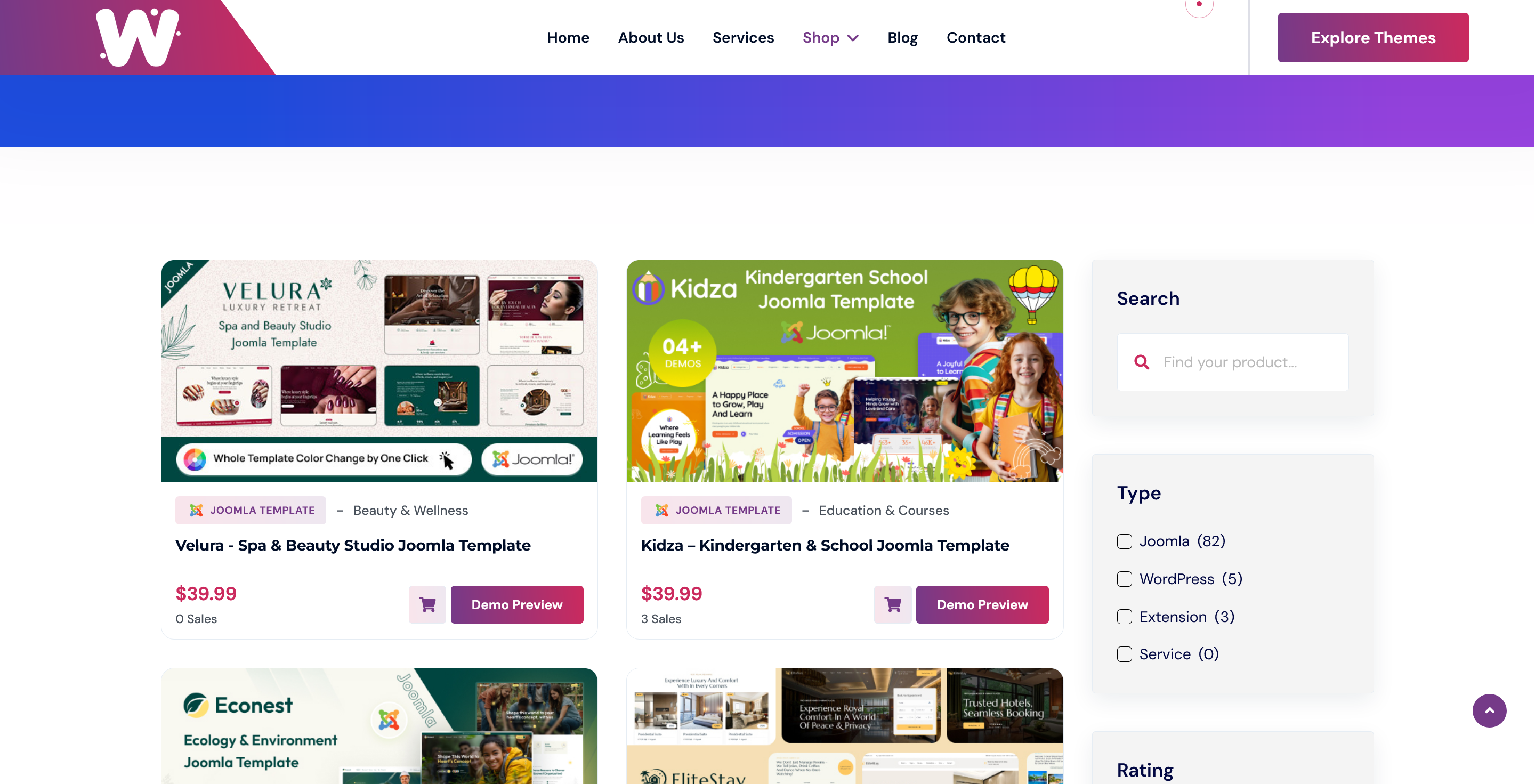
- Click the cart icon directly from the product listing for a quick checkout:
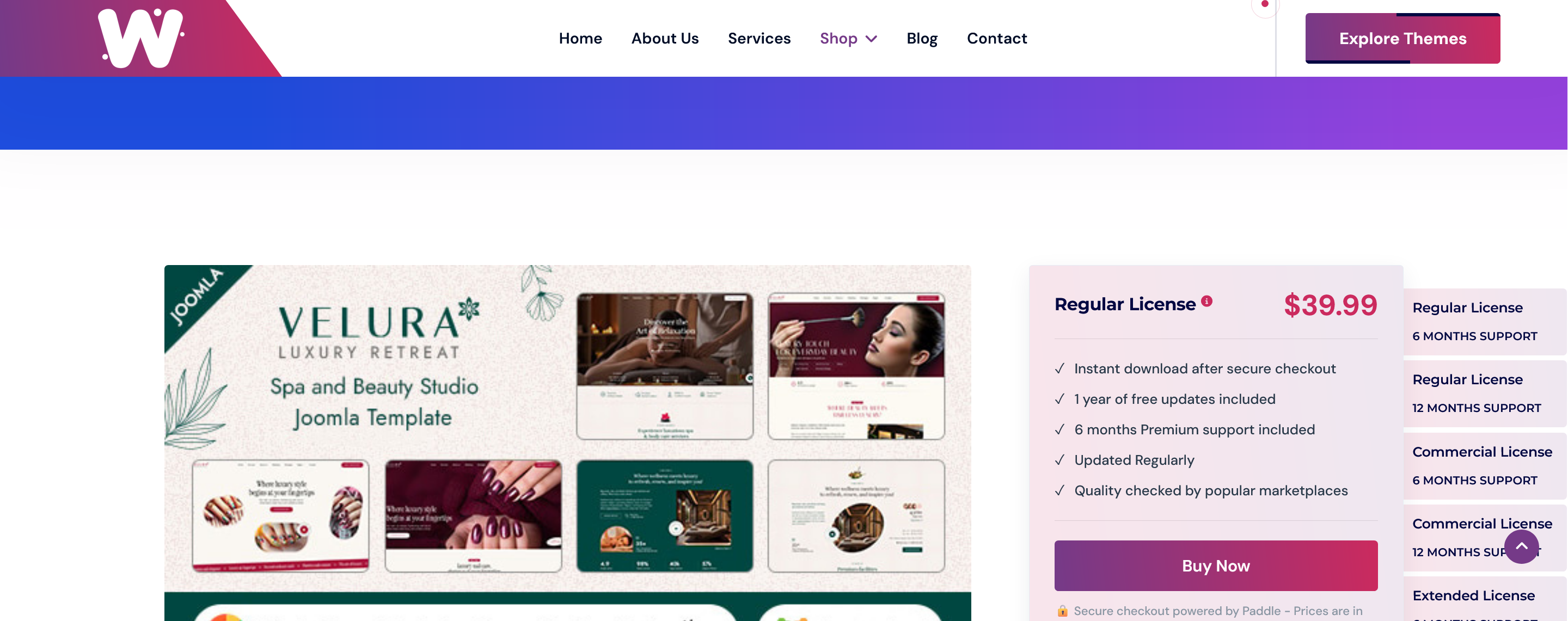
- Or visit the full product page, where you'll find detailed information and can choose between different license options (Regular, Commercial, Extended):
Step 2: Secure Checkout
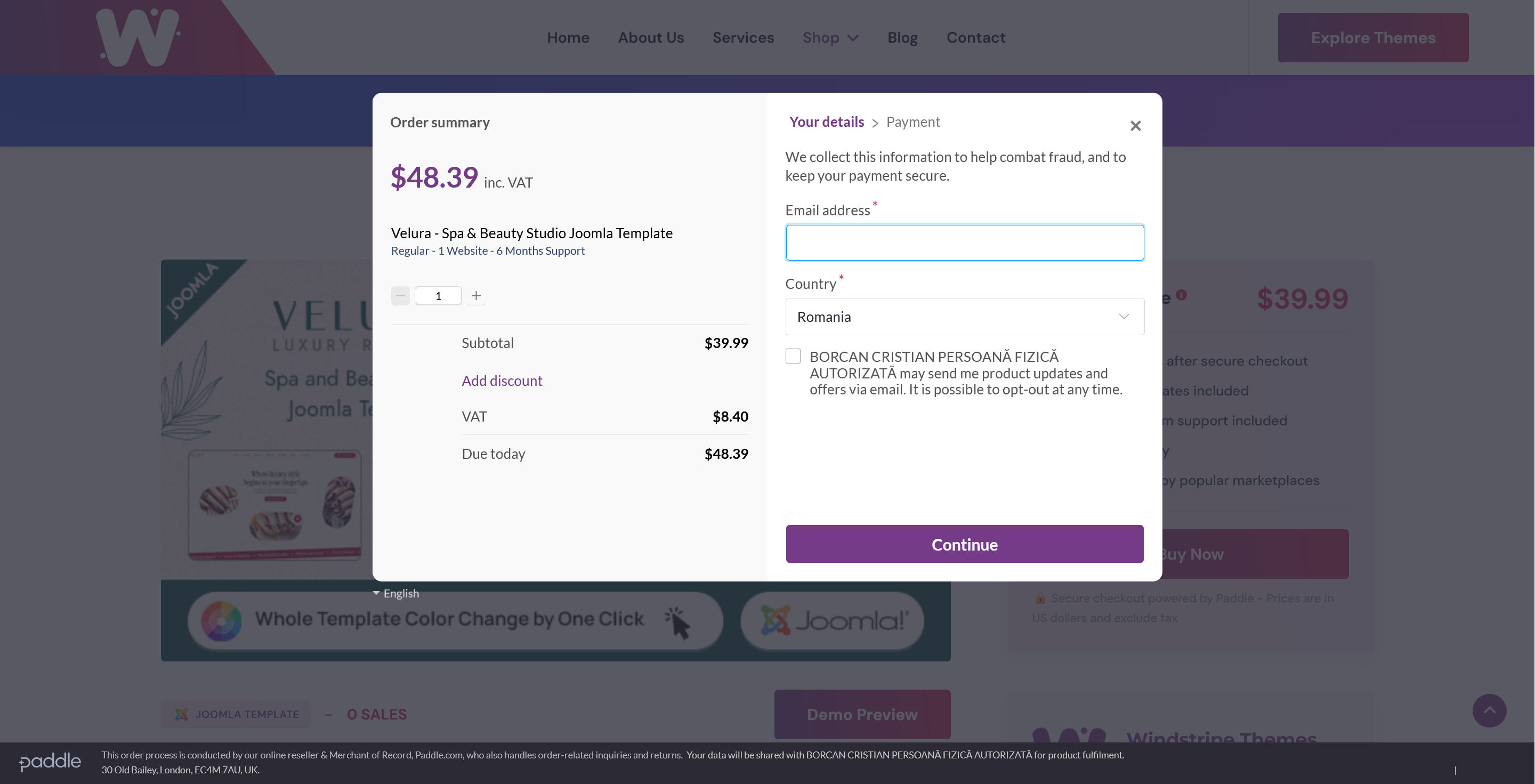
Once you click any "Buy" button, a secure Paddle checkout window opens right on our site — no redirects to unfamiliar pages. Here you'll enter your payment details and complete the purchase safely.
Step 3: Instant Delivery
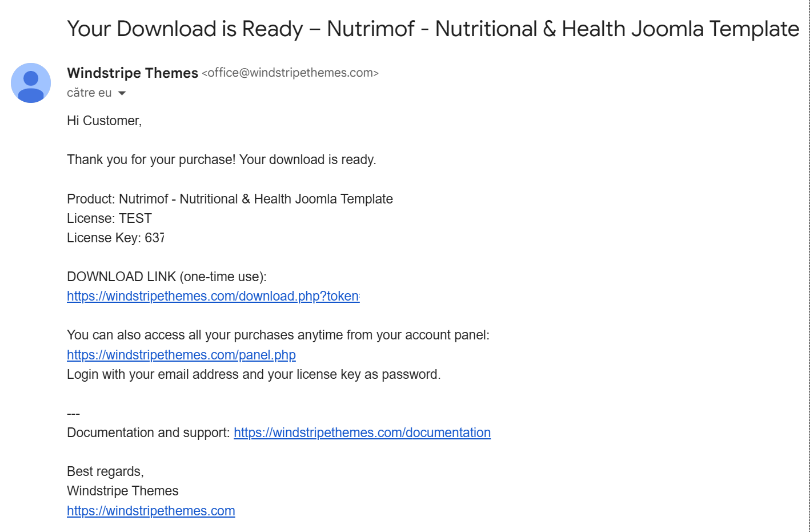
Immediately after your payment is confirmed, you'll receive an email containing:
- A one-time download link for your product
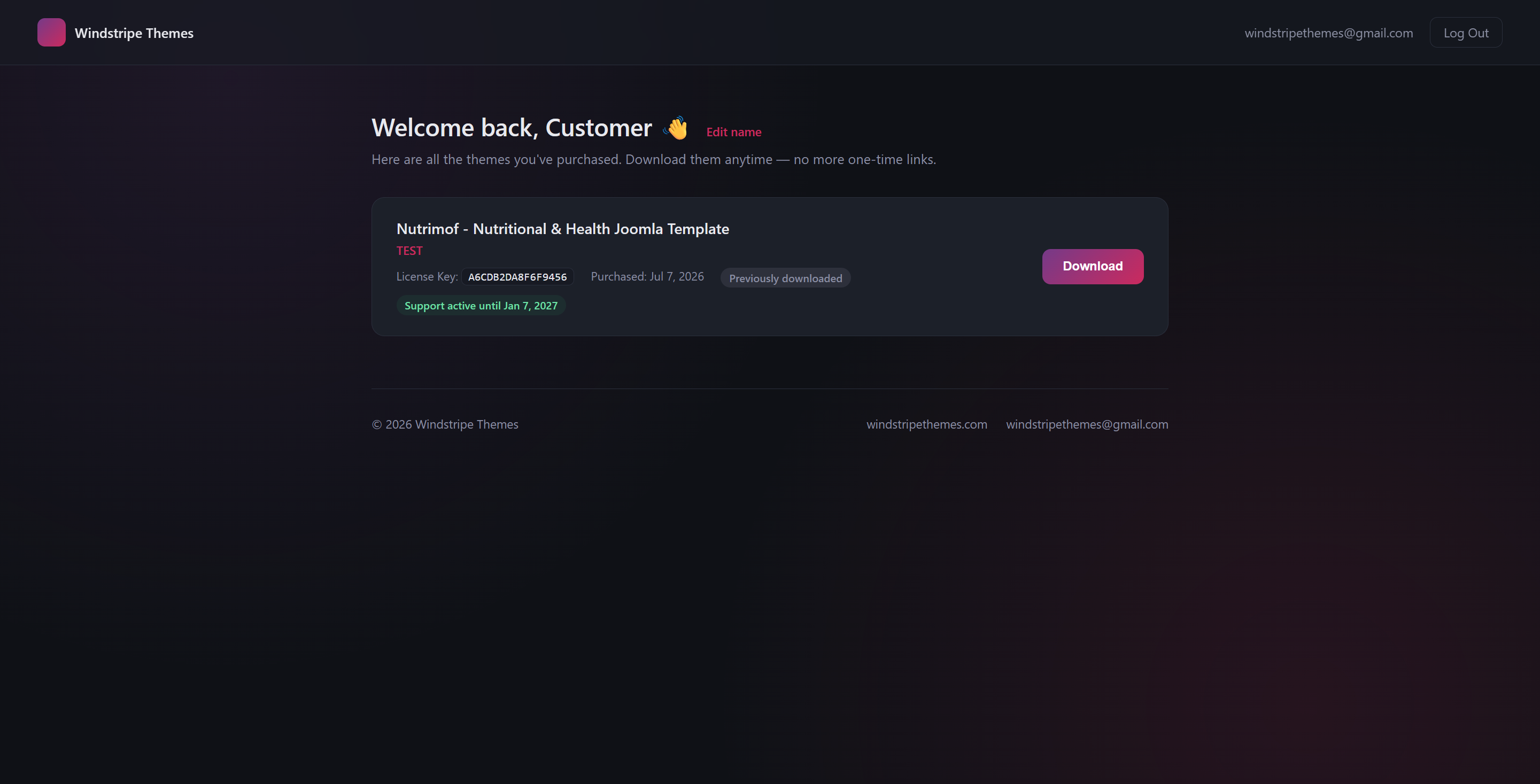
- A link to your personal account panel, where you can re-download your product anytime and access future updates
To log in to your account panel, simply use your email address and your license key (included in the same email) as your password.
Didn't receive an email? Please check your spam/junk folder first. If you still can't find it, don't hesitate to contact us — we'll respond as quickly as possible to get it sorted out.
Step 4: Stay Updated
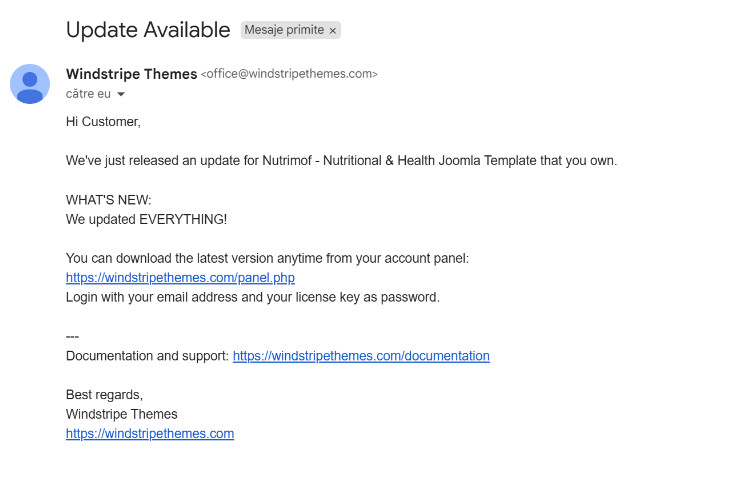
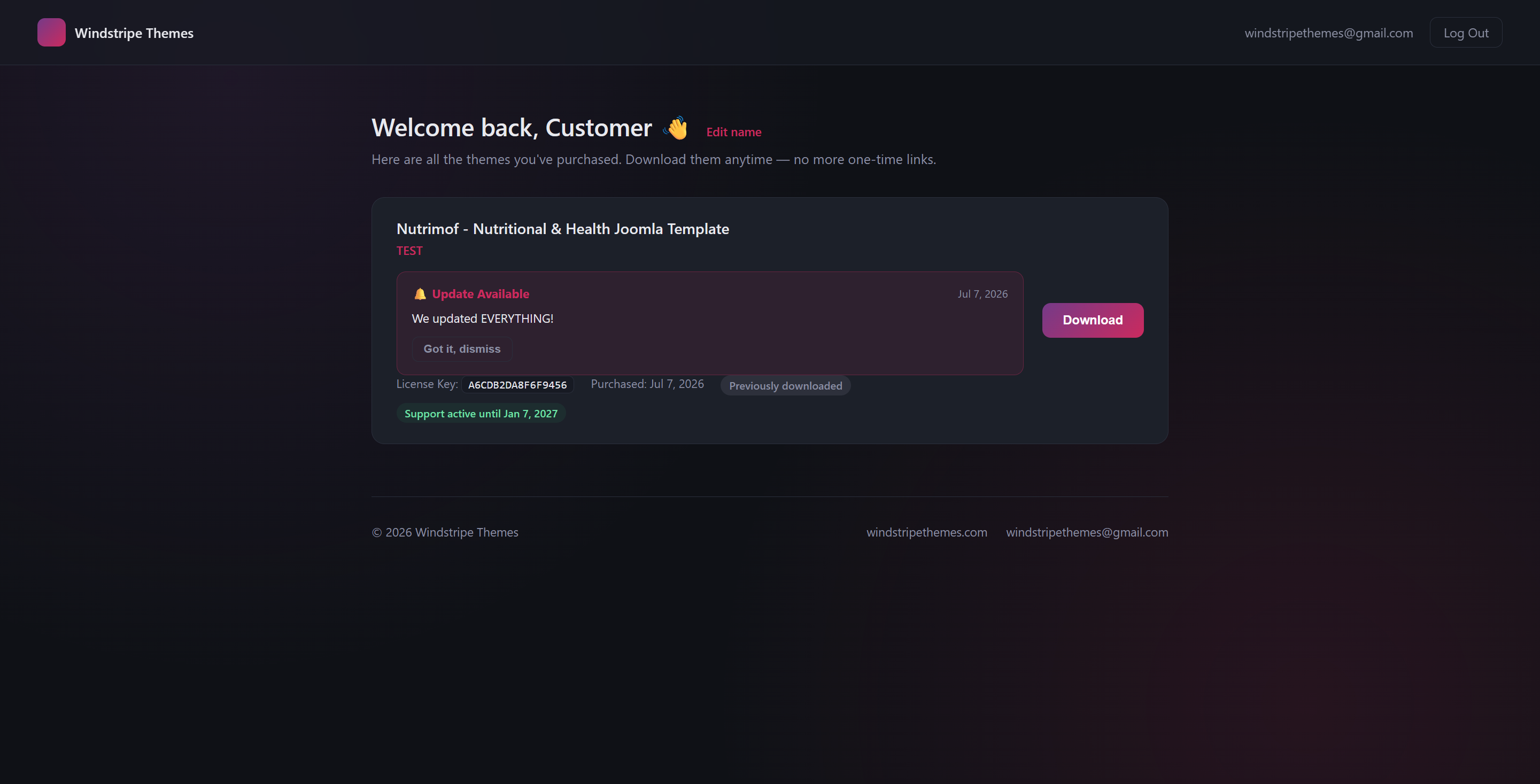
Whenever we release an update for a product you own, you'll be notified two ways: by email, and directly inside your account panel dashboard — so you'll never miss an improvement, bug fix, or new feature.
That's It!
No complicated steps, no hidden processes — just a simple, secure, and transparent way to get the theme you need, with lifetime access to your downloads and updates whenever they're released.
Have questions before purchasing? Feel free to reach out to us anytime — we're happy to help.